Quick answer
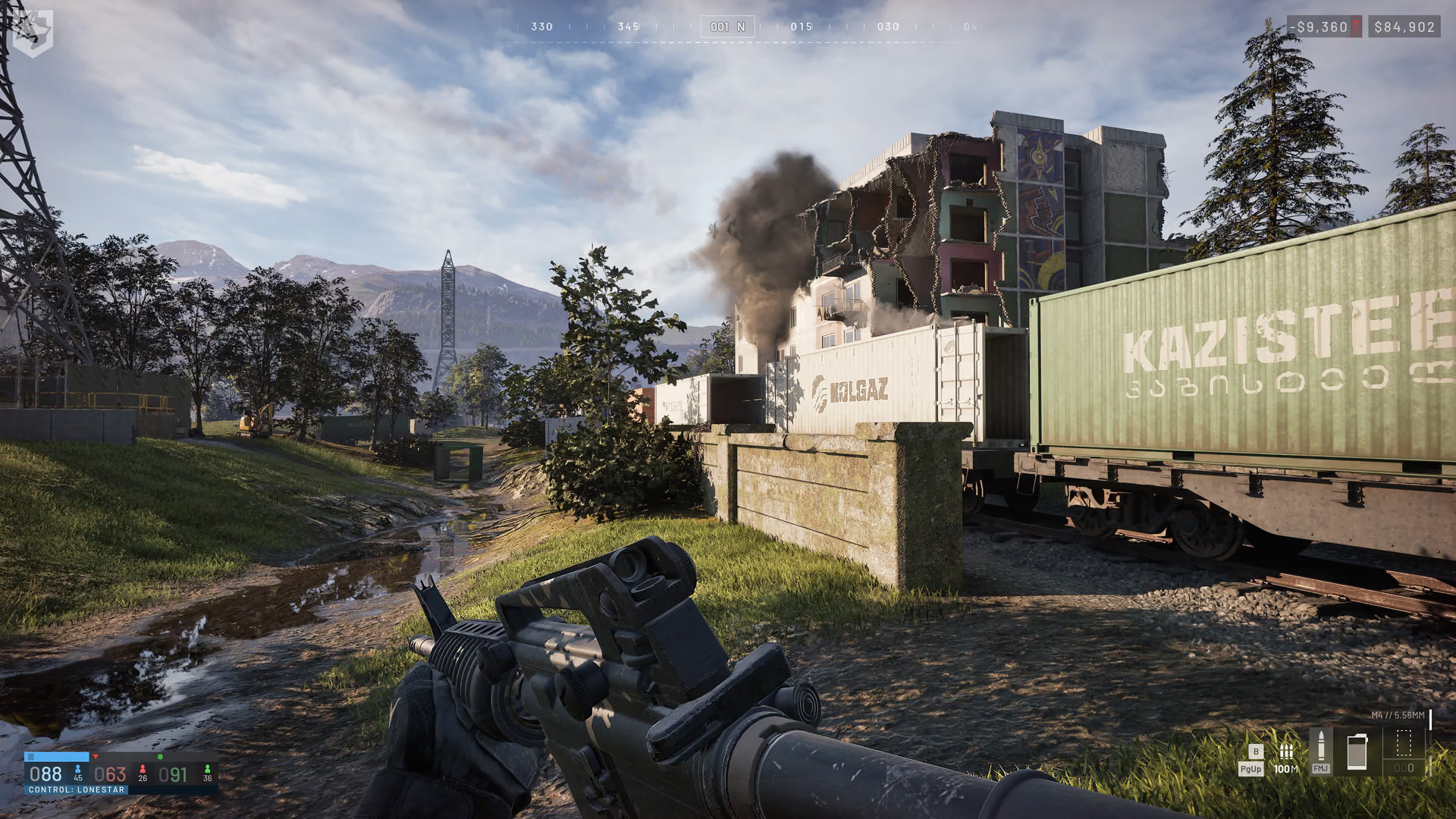
Official screenshots show WARDOGS environments, vehicles, equipment, and combined-arms scenes. Use them to identify the game's visual direction; check current gameplay pages for statistics, prices, complete rosters, map layouts, and launch availability.
The images were published before release, so visible interfaces and equipment can change.
What scenes are useful?
| Scene type | What players can see | What still depends on the build |
|---|---|---|
| Destruction | Damaged built environments are part of the pitch. | Which surfaces are destructible or how damage propagates. |
| Helicopter | Air mobility and in-vehicle presentation. | Final aircraft model, cost, seats, or controls. |
| Tank | Armor and infantry can appear in the same fight. | Armor values, ammunition, repair rules, or exact vehicle class. |
| Industrial spaces | Kolchia has heavy industrial environments. | Named map locations or objective pools. |
| Ghillie suit | Concealment equipment is visible and discussed. | Camouflage percentage or spotting immunity. |
What can you learn from the images?
The images help identify subjects and environments. A tank image shows how armor fits the battlefield presentation, while the tank guide handles crew roles, cost, and current match decisions.
Why keep image claims narrow?
WARDOGS is still moving through pre-release and Early Access development. Promotional images may use test HUDs, staged scenes, renamed items, or balance states that change before release.
The page should help readers understand the game while keeping item stats, map details, and launch rules tied to build data.
Related questions
| Question | Page |
|---|---|
| Which systems appear in the gameplay trailer? | Gameplay trailer |
| Where can creators find official assets? | Press Kit |
| How does destruction work? | Building and destruction |
| How should vehicles be read? | Combined arms |
Sources
- Team17's WARDOGS reveal announcement for official announcement imagery.
- BULKHEAD's WARDOGS page for current official game media.